Managing devices
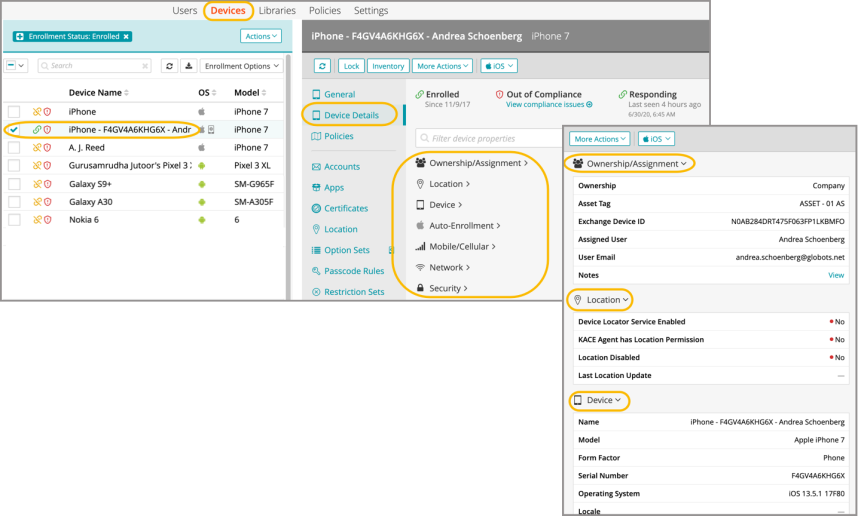
The Device Details view is available in each individual device’s overview section.
When viewing and managing the functional information on a device, an admininstrator can find the following information on the Device Details tab:
- Ownership/Assignment
- Location
- Device Specs
- Auto-Enrollment Status
- Mobile/Cellular
- Network
- Security Information
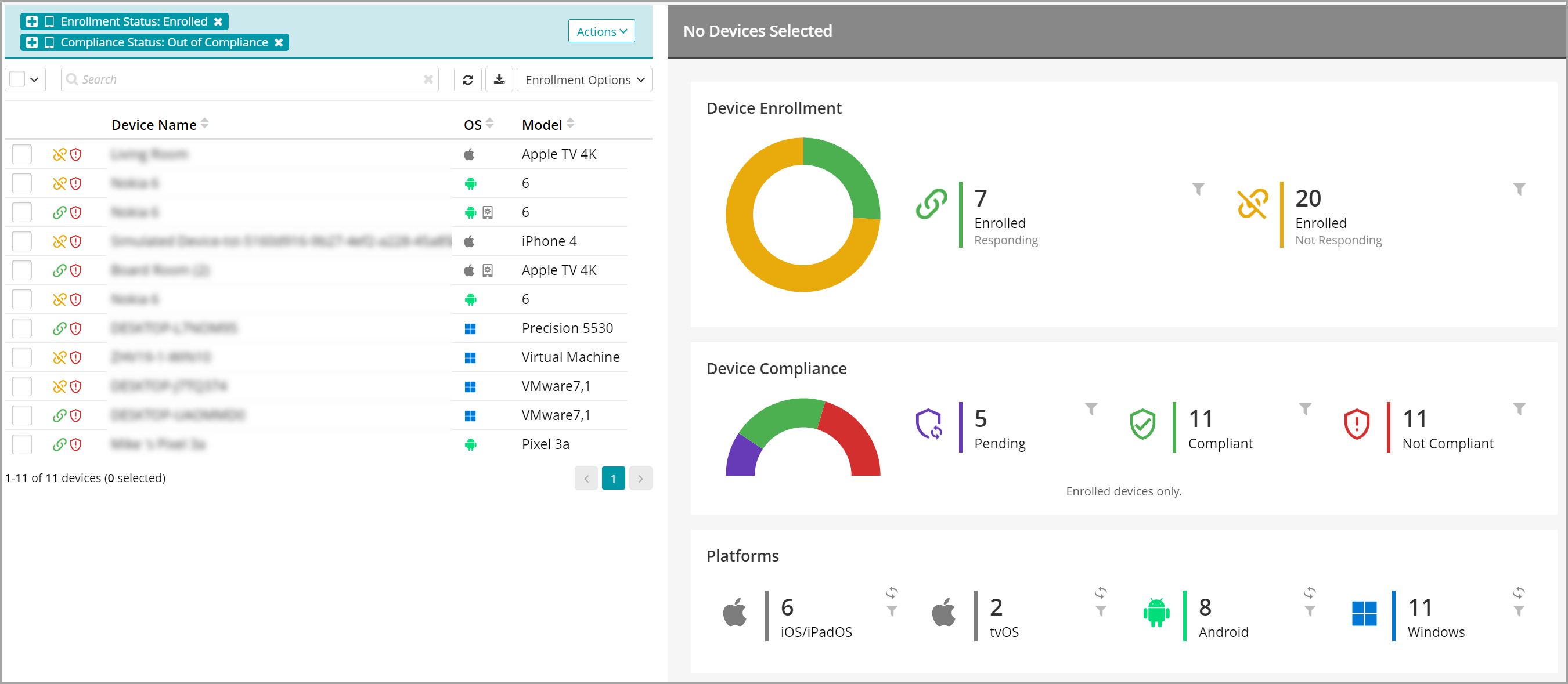
If you do not select any devices on the Devices tab, the view on the right shows general information about all managed devices, such as Device Enrollment, Device Compliance, and Platforms. Clicking on any of these views filters the list of devices accordingly. For example, to see a list of non-compliant devices, in the Device Compliance view, click Not Compliant.
To find out why a device is listed non-compliant, select the device and in the device view, on the Summary tab, under Out of Compliance, click View compliance issues. Any compliance issues affecting the device appear in red. For example, from here, you can identify policy- or certificate-related issues affecting the device. For more details, see Using policies to manage device configurations and Managing certificates.
From here, in the top-right corner, click Device History and see if any errors affecting the device compliance are reported. For more details, see Review device history.
After addressing the reported compliance issues, run the device inventory and apply device policies.